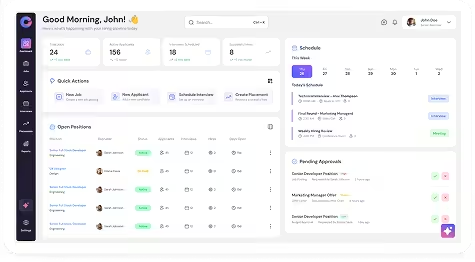
View Contact Profile
Navigation
General → Contacts → Select Contact
Steps
- Navigate to General → Contacts.
- Click the Contact Name.
- The Contact Profile will open.
Create Notes for Contact
Navigation
General → Contacts → Select Contact → Contact Profile → Notes
Steps
- Navigate to General → Contacts.
- Open the Contact Profile.
- Click Notes.
- Click Add Note.
- Enter note details.
- Save.
Create Tasks for Contact
Navigation
General → Contacts → Select Contact → Contact Profile → Tasks
Steps
- Navigate to General → Contacts.
- Open the Contact Profile.
- Click Tasks.
- Click Add Task.
- Enter task details.
- Click Save.
Send Email to Contact
Navigation
General → Contacts → Contact Record → Compose Mail
Steps
- Navigate to General → Contacts.
- Locate the contact.
- Click Compose Mail.
- Enter email details.
- Click Send.
Send and Request Documents from Contact
Navigation
General → Contacts → Select Contact → Contact Profile → Send & Request Documents
Steps
- Navigate to General → Contacts.
- Open the Contact Profile.
- Click Send & Request Documents.
- Select document template.
- Click Send.