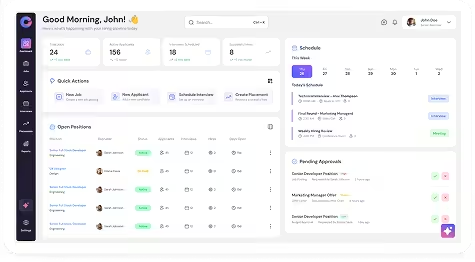
Jobs represent open hiring positions created manually or from approved requisitions.
To Create Job Manually
Navigation
Recruit → Jobs → Add Job
Steps
- Navigate to Recruit → Jobs.
- Click Add Job.
- Enter job information including:
- Job title
- Location
- Job description
- Department & Other necessary details
- Click Save.
Create Job from Requisition
Navigation
Recruit → Requisitions → Select Requisition → Create Job
Steps
- Navigate to Recruit → Requisitions.
- Open an approved requisition.
- Click Create Job.
- Review job details.
- Click Save.
Create Job by Parsing Job Description
Navigation
Recruit → Jobs → Add Job → Parse Text
Steps
- Navigate to Recruit → Jobs.
- Click Add Job.
- Select Parse Text.
- Paste the job description.
- Click Parse.
- Review extracted fields.
- Click Save.
Upload and Parse Job Document
Navigation
Recruit → Jobs → Add Job → Upload & Parse Document
Steps
- Navigate to Recruit → Jobs.
- Click Add Job.
- Select Upload & Parse Document.
- Upload the document.
- Verify parsed fields.
- Click Save.
To Publish Job
Navigation
Recruit → Jobs → Select Job → Publish
Steps
- Navigate to Recruit → Jobs.
- Click the Job Title to open the Job Profile.
- Click on Publish.
- Select publishing channels:
- Job Boards & Career Portal
- Social Media
- To Partners
1. Job Boards & Career Portal
- Select job boards (e.g., Foundit, Shine, LinkedIn, etc.) or Career Portal.
- Some job boards may require a premium subscription.
- Select the platforms where you want to publish.
- Configure settings if required (visibility, integrations, etc.).
- Click “Review JD & Publish” or just click “publish”
2. Social Media
- Choose platforms like LinkedIn, Twitter (X), or Facebook.
- Configure account settings if not already connected.
- Select visibility options (e.g., Anyone, Connections only).
- Click Publish.
3. To Partners
- Select partners from the partner list.
- You can search using contact name or email ID.
- Choose from:
- All Partners
- Published Partners
- Select the required partners to share the job with.
- Click “Publish to Partners”
Note
Each publishing channel has different configuration options and may require setup (e.g., social account connection or job board subscription) before publishing.