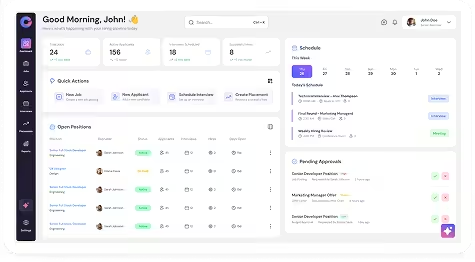
You can connect to your calendar, social media accounts, and plugins from your profile settings to enable integrations and syncing.
Access Profile & Preferences
To manage these settings:
- Click on your profile image in the top-right corner.
- Select My Profile and Preferences.
- Scroll down to view Calendar, Social Media Account, and Plugins.
Sync Calendar
You can sync interviews and events with your calendar.
To sync your calendar:
- Go to My Profile & Preferences.
- Scroll to the Calendar section.
- Click Link Account for the calendar you want to sync (Google or Outlook).
- When prompted, click Yes to sync interviews from the current date to your calendar.
Once synced, interview schedules will reflect in your calendar.
Link Social Media Account
You can connect to your social media account for easier access and integration.
To link a social media account:
- Go to My Profile & Preferences.
- Scroll to Social Media Account.
- Click on Link Account.
- Complete the authorization process.
Install and Manage Plugins
Plugins help you extend Oorwin’s functionality across browsers and email platforms.
Available plugins include:
- Outlook (32-bit and 64-bit)
- Chrome
- Office 365
- Quick Parser
- Gmail
To install a plugin:
- Go to My Profile & Preferences.
- Scroll to the Plugins section.
- Select the plugin you want to install.
- Download and complete the installation.