

Oorwin AI can be connected to Claude using the Model Context Protocol (MCP) connector. Once connected, Claude can securely access supported Oorwin data and tools so you can ask questions and retrieve information from Oorwin directly from a Claude conversation.
Video walkthrough
Follow the video below for a step-by-step walkthrough of how to connect Oorwin AI to Claude using the MCP connector:
Note: The same MCP connection process can be used with other AI applications that support MCP, including ChatGPT, Gemini, Perplexity, and other compatible AI applications. Follow the connection instructions provided by the respective AI application.
Navigation
Claude → New conversation → + → Connectors → Add connector → Add custom connector
Before you begin
- Make sure you have an active Oorwin account.
- Make sure you can sign in to Claude.
- Use the Oorwin MCP server URL: https://mcp.oorwin.ai/mcp
Steps to connect Oorwin AI to Claude
1. Open Claude and access Connectors
Open Claude and start a new conversation. Click the + icon in the message box, select Connectors, and then select Add connector.
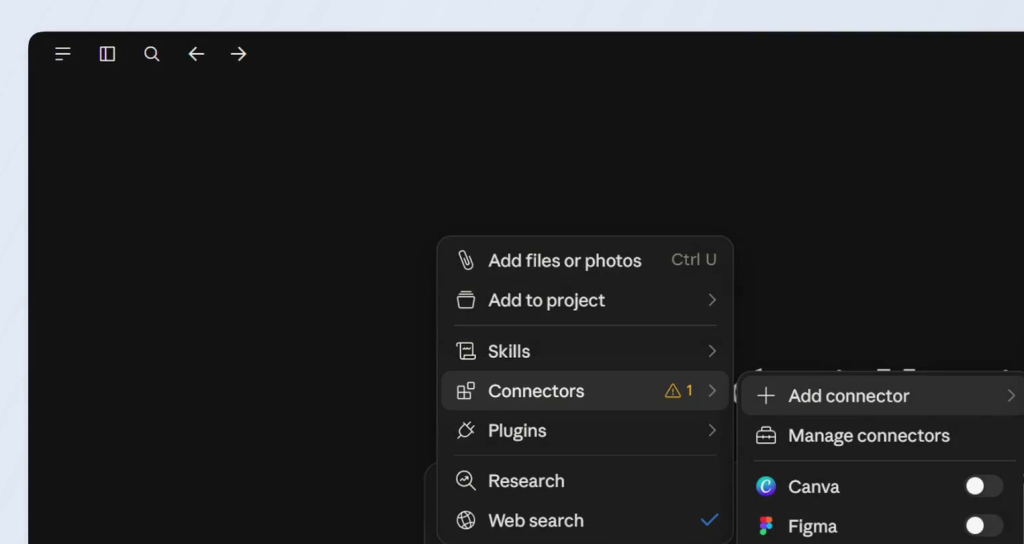
Open a new conversation, click +, and select Connectors, then Add connector.
2. Select Add custom connector
In the connector menu, select Add custom connector.
3. Enter the Oorwin connector details
In the Add custom connector window, enter Oorwin AI as the connector name. In Remote MCP server URL, enter https://mcp.oorwin.ai/mcp. Click Continue.
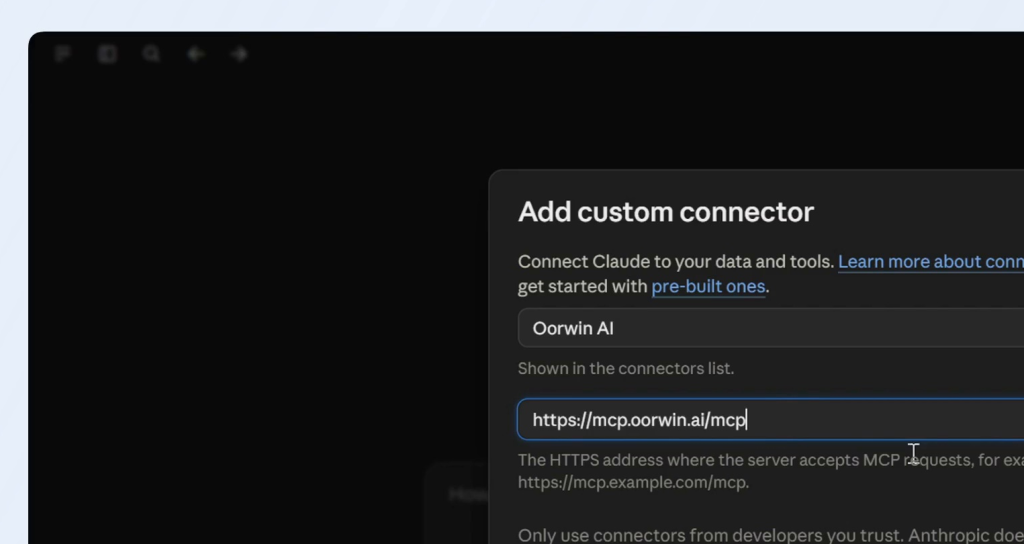
Enter Oorwin AI as the connector name and the Oorwin MCP server URL.
4. Configure the connection
Claude will detect the available authentication options. Use the default detected option, No client ID — register one automatically, unless your Oorwin administrator has provided different OAuth instructions. No additional request headers are required for the standard Oorwin connection. Click Add.
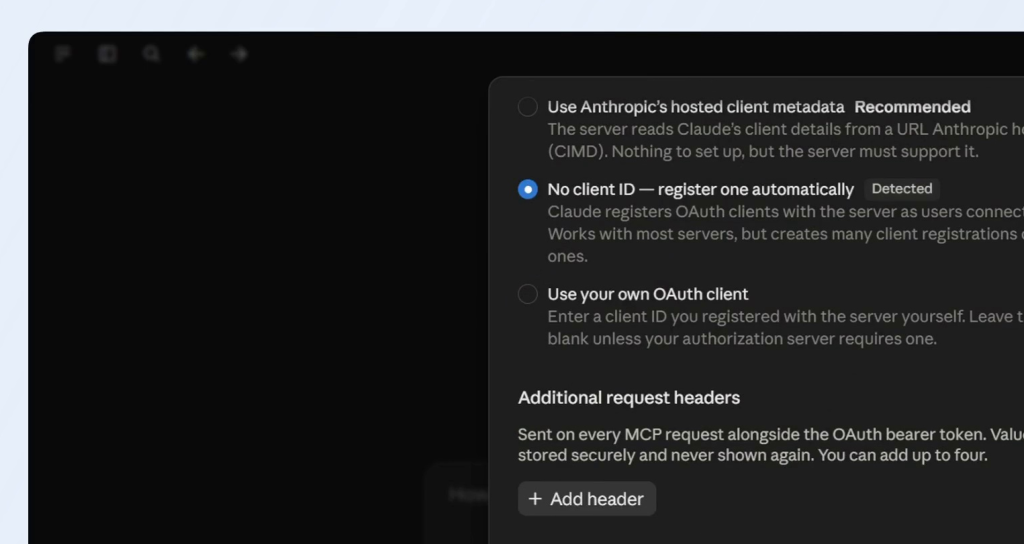
Keep the detected option, No client ID — register one automatically, and click Add.
5. Sign in to Oorwin
Claude will redirect you to the Oorwin sign-in page. Sign in using your Oorwin credentials and complete any authentication or verification requested.
6. Confirm the connection
After successful authentication, Claude returns to the conversation and displays Connected to Oorwin AI. The Oorwin connector is now available in Claude.
Result
- Oorwin AI is connected to Claude through MCP.
- You can use Claude to retrieve supported Oorwin information and interact with available Oorwin tools.
- You can ask natural-language questions about your Oorwin data from the Claude conversation.
Example
After the connection is active, you can ask Claude questions such as: “Give me the list of candidates added in the last 30 days.” Claude can use the connected Oorwin MCP tools to retrieve the relevant information.
Note
The data and actions available to Claude depend on the Oorwin MCP tools enabled for your account and the permissions associated with your Oorwin user. Always review Claude’s response before using it for business decisions.