
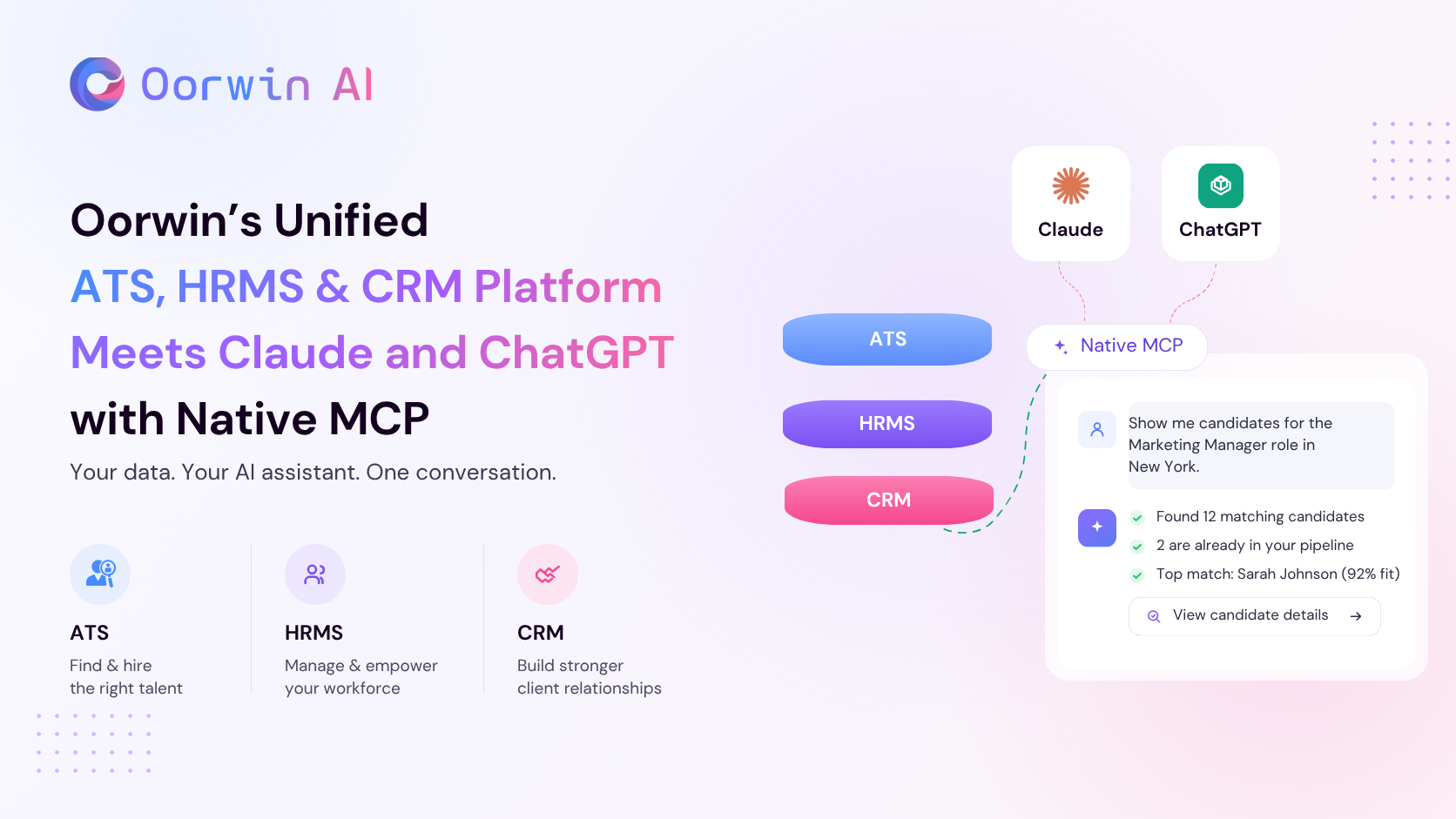
Every recruiting and staffing leader already uses AI. Every one already uses an ATS. Almost none use them together, until now. Your data. Your AI assistant. One conversation.
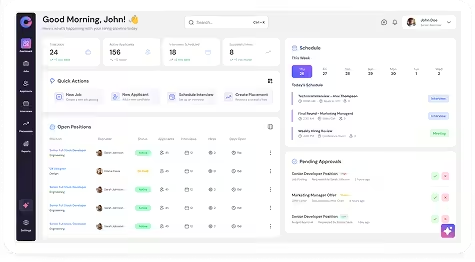
Oorwin is a unified platform spanning ATS, HRMS, and CRM — one system to hire, manage, and grow talent relationships. Native MCP puts your live ATS — candidates, jobs, requisitions, submissions, accounts — inside the conversation you’re already having with Claude or ChatGPT. No exports, no context to explain, no second tab. Ask, get the answer against real data.
That last part is where most integrations miss: this isn’t a smarter search bar you ask once and walk away from. Search, drill into a candidate’s resume or submission history, check what matches a job, pull the account behind a requisition, all as one conversation, scoped to exactly what you’re already allowed to see in Oorwin.
Key takeaways
- It’s your live ATS, in ChatGPT and Claude: Answers come from candidates, jobs, requisitions, submissions and accounts as they stand right now, not from context you typed in manually.
- It goes as deep as the question needs. Search, then drill into a resume, a submission history, or a matching job, all in the same thread, no restarting the query.
- It’s scoped to how a recruiting desk actually runs. TA leaders, recruiting managers, staffing leaders and recruiters ask in their own words. No SQL, no report queue, no IT ticket.
- No add-on fee. It’s part of your existing Oorwin subscription.
- Get started at app.oorwin.ai or book a demo.
Why this matters now
Across Oorwin’s 1,000+ customers in India and the US, the constraint has never been the ATS data or the assistant, it’s that the two never met. The questions that actually move a staffing business are like which requisitions are stalling, which submissions are stuck with a client, whether the pipeline covers this month’s targets, still travel through a request, a queue, and a report, and land after the decision window has closed. Native MCP puts your choice of AI assistant directly on top of the ATS, so the recruiter or leader talks to the business instead of a report about it.
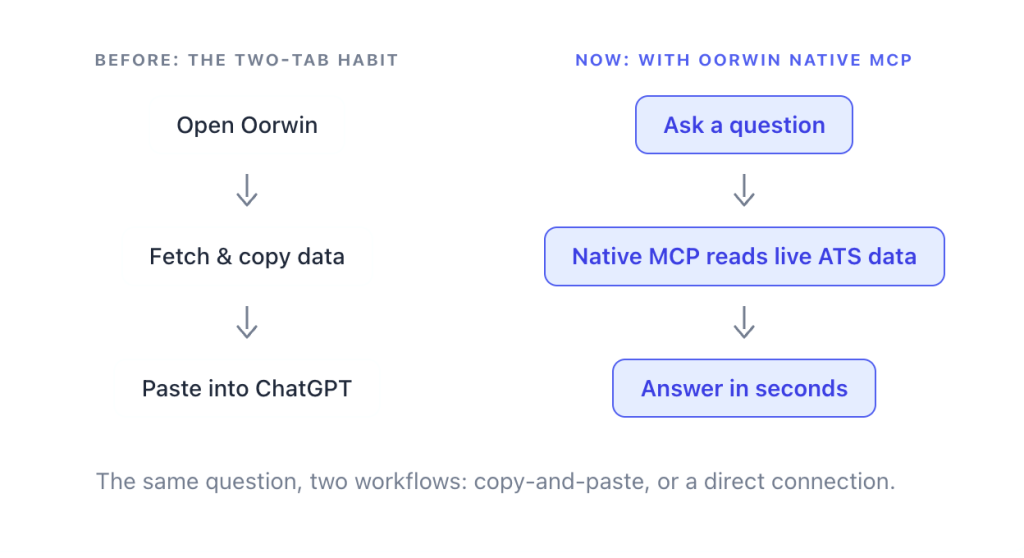
Both halves of that gap are already true, separately:
- 65% of staffing employees now use AI in their work, up from 43% a year earlier (SIA, Temporary Staffing Platform Update 2026)
- 82% of staffing firms report at least modest AI use in talent acquisition (SIA, US Staffing Industry Pulse Survey 2026)
- 75% of recruiters in India already use AI tools (LinkedIn, India Hiring ROI report)
- 34% of contingent-workforce buyers use AI, up from 18% a year earlier (SIA, Workforce Solutions Buyer Survey 2026)
- 3.5–4.5x — how much more likely firms using AI anywhere in the recruiting process are to have grown revenue (Bullhorn GRID 2026)
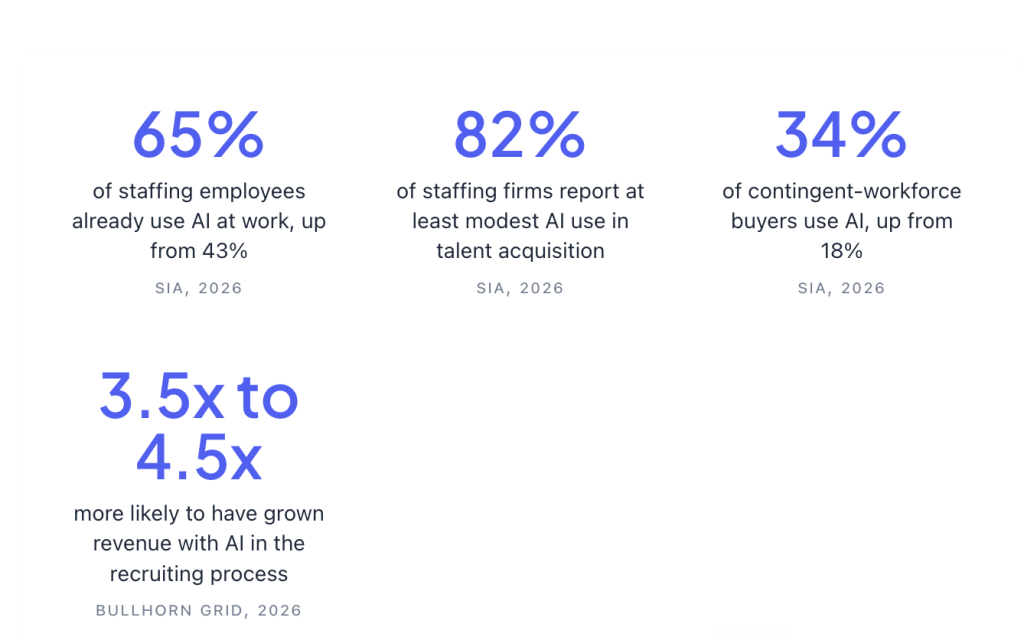
Every one of those numbers describes AI and ATS adoption running in parallel. None of them describe the two meeting. Bullhorn’s own GRID 2026 data makes the same point from the other side: firms that grew revenue by more than 25% are far more likely to have AI embedded directly in their ATS, yet only 10% have implemented agentic AI across their full workflow (Bullhorn GRID 2026).
Integration maturity, not AI adoption, is what separates the two groups. A connected ATS gets the gains; a disconnected one gets another dashboard.
What is Oorwin Native MCP?
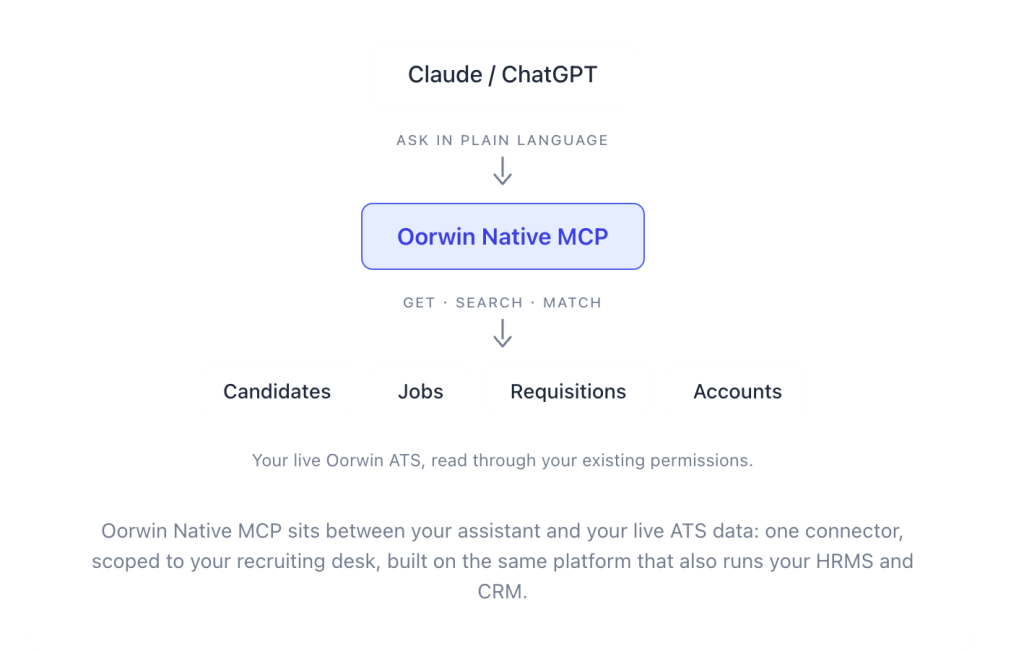
Oorwin Native MCP is first-party, built and versioned by the same team that owns your Oorwin data model, not bolted on from outside it. That’s why your permissions carry straight through instead of needing a workaround: the assistant can only reach what you’re already allowed to reach in Oorwin, nothing more.
Oorwin itself is built as one connected platform across ATS, HRMS, and CRM — hiring, workforce management, and client relationships running on the same system of record. Native MCP’s first release lives on the ATS; the same governed, first-party architecture is what makes HRMS and CRM access possible as Native MCP extends.
What’s live today: get or search across candidates, jobs, requisitions, and accounts, pull a candidate’s resume or full submission history, check what matches a job (or which candidates match a job), and see the account behind a requisition. Oorwin’s own matching intelligence, Ira, is wired in too for candidate previews and suggested prompts, without leaving the conversation.
Connect in under five minutes
<Add Oorwin as a custom connector> (https://mcp.oorwin.ai/mcp) in Claude or ChatGPT’s connector settings, sign in with your usual Oorwin credentials, and approve the permissions screen. No developer, no IT ticket, no API key. Your Oorwin tools show up in the next conversation.
What it unlocks depends on the role you sit in. Four examples below. Anyone with Oorwin ATS access can ask.
FOR THE TALENT ACQUISITION LEADER
Catch a stalling requisition before the client does
A TA leader can health-check active requisitions in one step, flagging anything open 30+ days with fewer than three submissions, sorted by client priority.
(Get requisition · Search requisitions)
Age, submission counts, and client priority, cross-referenced in seconds instead of a next-day report. The value isn’t the answer, it’s timing. You catch the requisition while it’s still rescuable.
From there, a quick follow-up in the same thread pulls submission history for the flagged reqs over the last 60 days, showing whether the gap is new or has been quiet the whole time. Now you know whether to reassign, escalate, or wait, before the meeting where you’d normally just be discovering the problem.
FOR THE RECRUITING MANAGER
Stop finding stalled candidates a week late
Every recruiting manager runs this check manually, export, filter, cross-reference against client emails. Native MCP turns it into a single lookup: every candidate submitted to a client in the last 30 days still waiting for feedback, grouped by role, with days since submission.
(Get candidate submissions · Search candidates)
Stalled submissions surface the day they stall, not at the weekly pipeline review. That gap is the difference between a feedback chase that starts on day 3 and one that starts on day 10.
FOR THE STAFFING LEADER
Know where to point the desk, without asking five people
A staffing leader can pull the ten oldest open jobs, submission counts, and which recruiter owns each, as one prioritized list.
(Search jobs · Get job)
Live job and ownership data, not a scavenger hunt through five people’s inboxes. Point the desk where it’s actually needed this week, not where it happened to come up in standup.
FOR THE RECRUITER
Walk into the client call already prepped
A recruiter prepping for a client call can pull a candidate’s full profile and submission history, summarized against the job description, in one pass.
(Get candidate · Get candidate resume · Get candidate matching jobs)
Candidate record and resume, reasoned over together, in the ten minutes before a call, not spent tab-switching between the profile, the resume file, and the job spec. The prep happens; the assembling doesn’t.
Where this goes next
This starts with the ATS, and it’s built on the same unified foundation that runs Oorwin’s HRMS and CRM, so extending Native MCP there is a matter of when, not if. The ambition is a desk your team runs through the conversation, not one reported on by a dashboard afterward, across all three.
The direction of travel isn’t in question:
- 84% of global talent leaders plan to use AI in recruiting in 2026, and 52% plan to add autonomous AI agents to their teams (Korn Ferry, 12th Annual Talent Acquisition Trends)
- 82% of HR leaders plan to deploy agentic AI capabilities within 12 months (Gartner, Top Future of Work Trends for CHROs)
- 30% of enterprise application vendors are expected to ship their own MCP servers in 2026, up from under 5% a year earlier (Forrester Predictions 2026)
Getting the connector right now, governed, permissioned, versioned with the platform, is what makes everything after it possible. Whatever Native MCP does next builds on the same foundation: your data, your permissions, carried through exactly as they exist in Oorwin today.
Oorwin Native MCP: FAQ
What is Oorwin Native MCP?
Oorwin Native MCP connects Claude and ChatGPT to your live Oorwin ATS, so you can ask about candidates, jobs, requisitions, and accounts in plain language and get answers from real data. No exports, no separate report.
What data is in ATS scope?
Candidates, jobs, requisitions, and accounts including resumes, submission history, and job-matching, everything current tools cover, subject to your existing Oorwin permissions.
What can Oorwin MCP do?
Get and search across candidates, jobs, requisitions, and accounts, resumes, submission history, and job-matching included. Oorwin adds capability with every release, so this list grows; check the Help Center for what’s current.
Is there a learning curve?
No. You’re not learning MCP or a new tool, you’re asking Claude or ChatGPT the way you already do, and it now has your ATS to work with.
Does this cost extra?
No. It’s part of your existing Oorwin subscription.
Who can turn it on?
Your Oorwin administrator connects it once; after that, anyone with Oorwin ATS access can use it from their own AI assistant.
Get access
Oorwin Native MCP is part of the Oorwin platform, included with your existing subscription.