

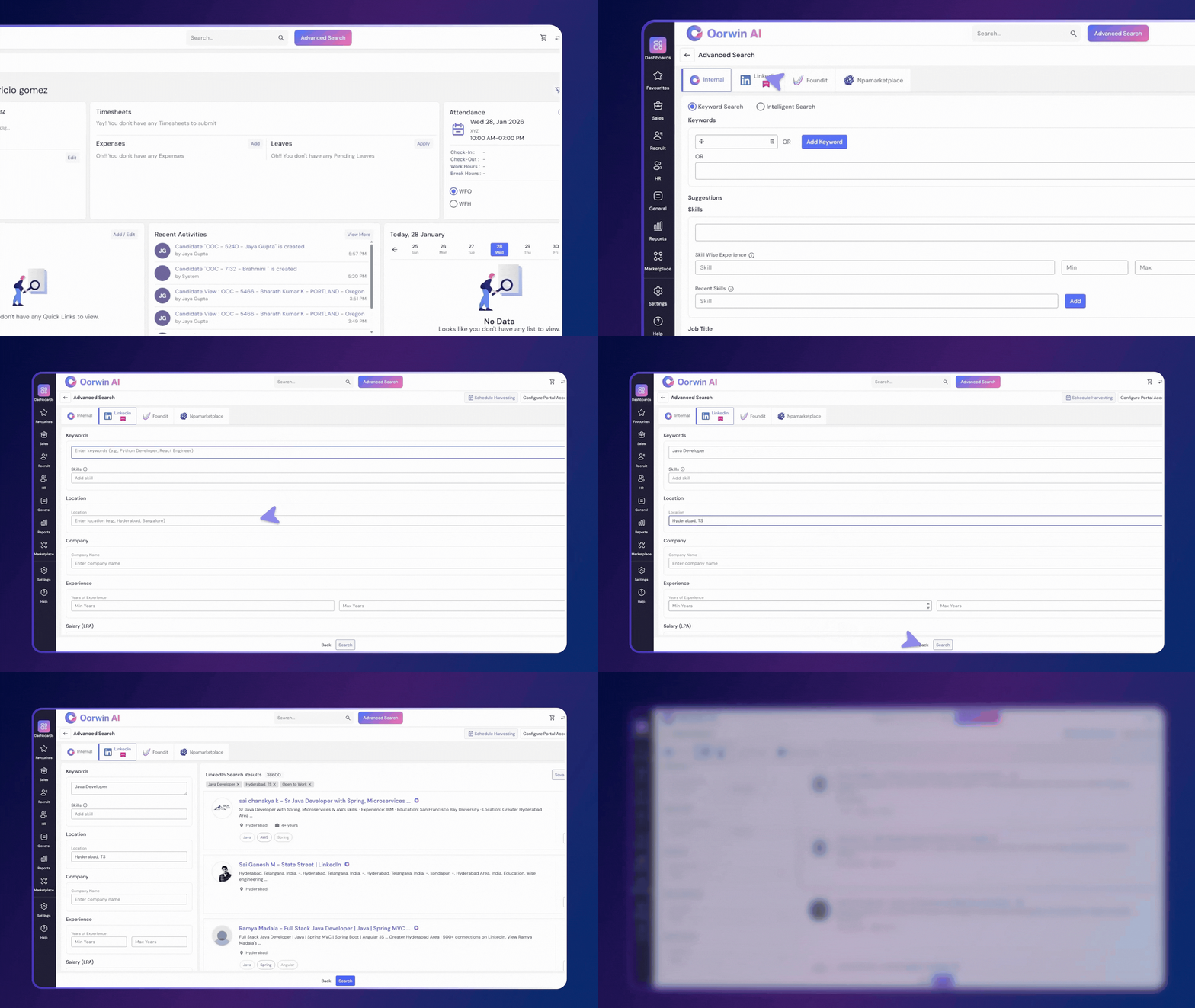
Oorwin allows users to search LinkedIn profiles directly from the ATS and add candidates, leads, or contacts without leaving the platform.
LinkedIn Search from Oorwin ATS
Users can search LinkedIn profiles using Advanced Search in Oorwin.
Steps:
- Log in to Oorwin
- Navigate to ATS → Advanced Search
- Select LinkedIn as the search source
- Enter Keywords, Skills, and Location
- Click Search
- Matching LinkedIn profiles are displayed with a Match Score.
- Click View Profile to review details
- Based on the match score and requirements, add the profile as a:
- Candidate
- Lead
- Contact
The selected profile is added directly to the ATS.
Result
- Source LinkedIn candidates from within the ATS
- View matching score for better decision-making
- Add profiles with a single click