Recruiters don’t fail because of lack of tools.
They fail because critical candidate data is scattered.
LinkedIn has profiles.
ATS has applicants.
CRM has conversations.
Oorwin just collapsed that entire mess into one workflow.
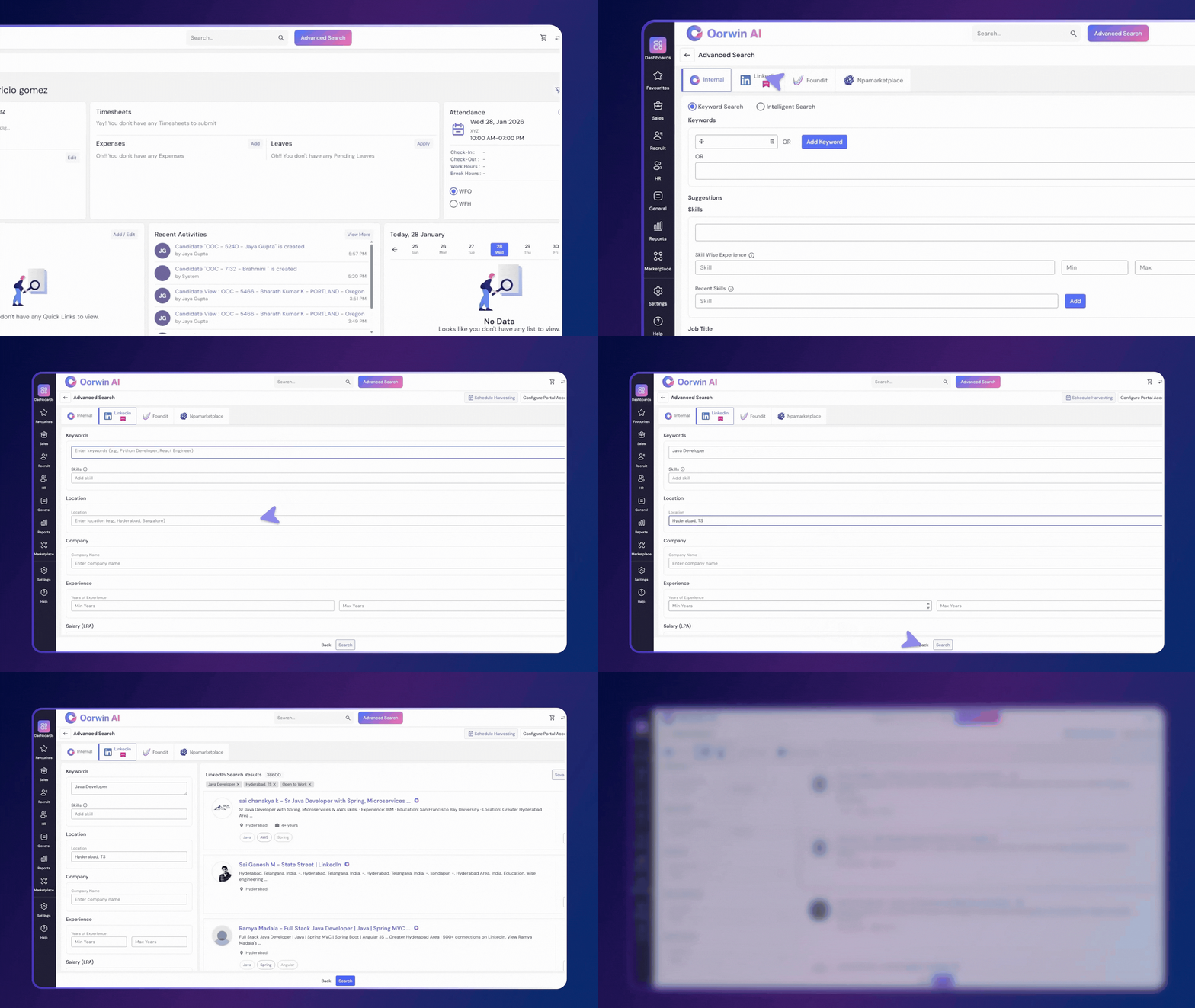
With the new LinkedIn Search inside Oorwin, recruiters can now view and evaluate LinkedIn profiles directly from Oorwin without switching tabs, exporting data, or losing context.
This is not another sourcing add-on.
This is LinkedIn intelligence embedded into your hiring system.
What Is LinkedIn Search in Oorwin?
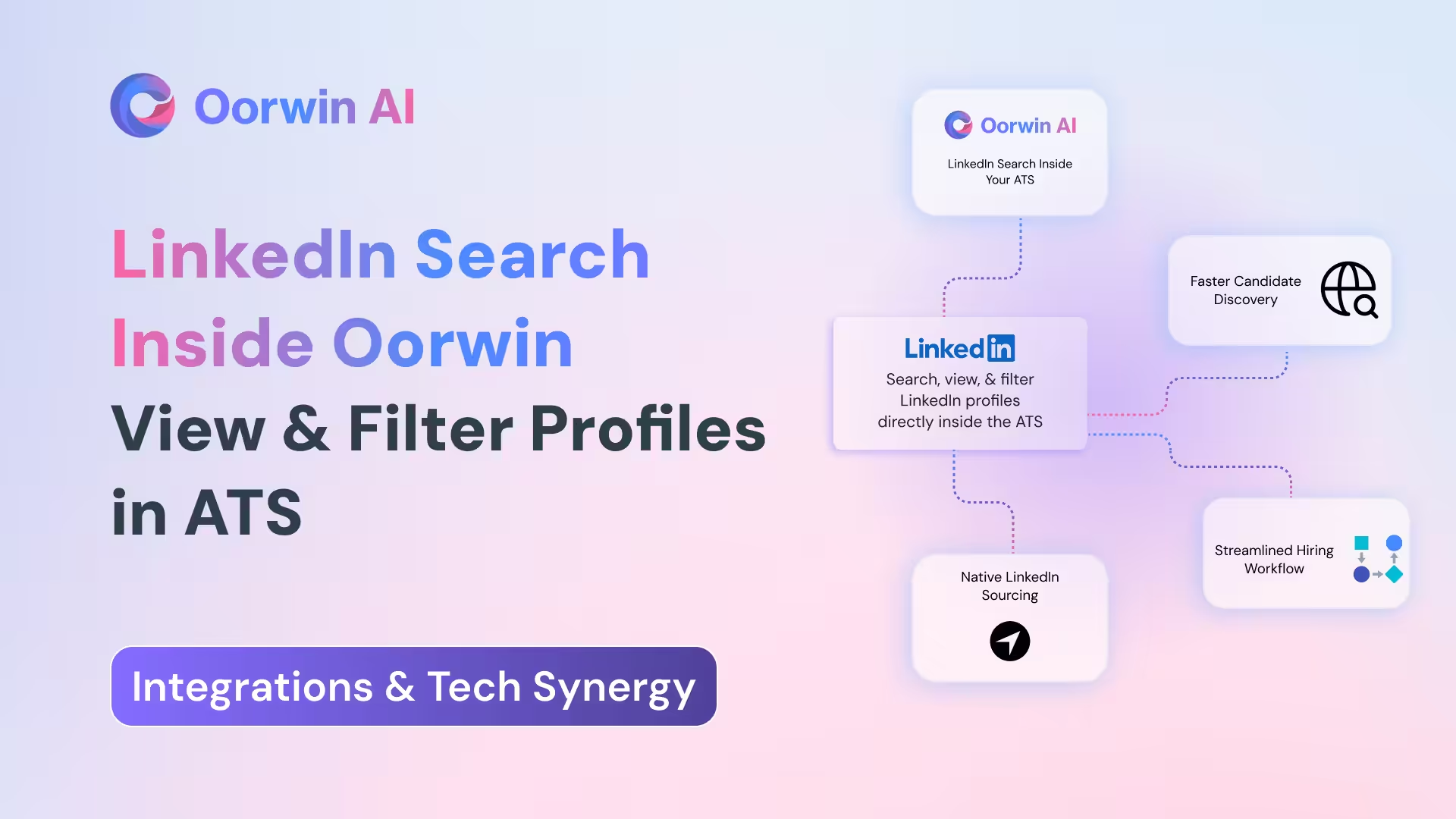
LinkedIn Search in Oorwin allows recruiters to discover, view, and filter LinkedIn profiles directly inside the Oorwin platform.
Instead of searching LinkedIn separately and then copying profiles into your ATS, recruiters can now:
- Search LinkedIn talent from within Oorwin
- View LinkedIn profile data in real time
- Apply advanced recruiter-grade filters
- Take action without leaving the platform
This creates a single sourcing and evaluation flow, end to end.
Why Recruiters Needed This Feature
Traditional LinkedIn sourcing looks like this:
- Open LinkedIn
- Run multiple searches
- Open profiles in new tabs
- Copy details manually
- Switch to ATS
- Paste, enrich, re-check
This wastes time and kills hiring velocity.
With Oorwin’s LinkedIn Search:
- No tab switching
- No manual copying
- No context loss
- No duplicated effort
Everything happens where recruiters already work.
Key Capabilities of LinkedIn Search in Oorwin
1. View LinkedIn Profiles Directly Inside Oorwin
Recruiters can now open and review LinkedIn profiles within Oorwin itself.
This includes professional background, experience, skills, and career trajectory without redirecting to external platforms.
Result: faster screening and better decision clarity.
2. Keyword-Based LinkedIn Talent Search
Search candidates using precise keywords such as:
- Job titles
- Tech stacks
- Tools
- Industry-specific terms
This helps recruiters find exact-fit profiles instead of scrolling through irrelevant results.
3. Skill-Based Filtering
Filter LinkedIn profiles by specific skills to quickly shortlist candidates who meet technical or functional requirements.
This is especially powerful for niche hiring where skill accuracy matters more than titles.
4. Location-Based Candidate Search
Recruiters can filter profiles based on candidate location, making it easy to source talent for:
- Specific cities
- Regions
- Countries
This is crucial for compliance, relocation of policies, and regional hiring strategies.
5. Company-Based Filtering
Search candidates by current or past company.
Use cases include:
- Targeting competitors
- Hiring from similar product environments
- Building talent pipelines from known companies
6. Experience-Based Filtering
Filter candidates by years of experience to match role seniority.
This avoids overqualified or underqualified profiles entering the pipeline.
7. Salary Expectation Filtering
Recruiters can filter profiles based on salary expectations, helping teams stay aligned with budget constraints from day one.
This reduces late-stage drop-offs and compensation mismatches.
8. Education Level Filtering
Search LinkedIn profiles based on education level, including degree type and qualification.
Useful for roles with strict academic requirements or regulatory constraints.
9. Work Mode Preferences: Hybrid, Remote, or Full-Time
Filter candidates by preferred work mode, including:
- Remote
- Hybrid
- Full-time onsite
This ensures alignment with company work policies and candidate expectations.
10. Notice Period Availability
Recruiters can filter candidates by notice period availability, helping prioritize profiles that can join sooner.
This is critical for urgent hiring and replacement roles.
11. Job Seeking Status on LinkedIn
Filter candidates based on job seeking status on LinkedIn.
This allows recruiters to focus on candidates who are actively open to opportunities, increasing response rates, and faster closures.
How This Improves Recruiter Productivity
With LinkedIn Search inside Oorwin, recruiters achieve:
- Faster sourcing cycles
- Higher-quality shortlists
- Fewer drop-offs
- Better candidate-recruiter alignment
All without increasing tool complexity.
How This Benefits Recruitment Teams and Leaders
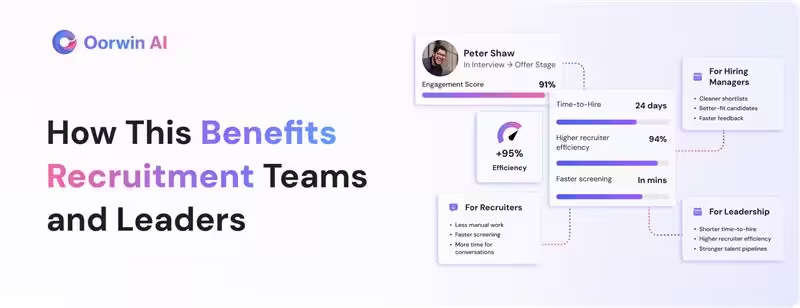
For Recruiters
- Less manual work
- Faster screening
- Better focus on conversations
For Hiring Managers
- Cleaner shortlists
- Better-fit candidates
- Faster feedback loops
For Leadership
- Shorter time-to-hire
- Higher recruiter efficiency
- Stronger talent pipelines
Why LinkedIn Search Inside Oorwin Is Different
This is not just LinkedIn access.
This is LinkedIn intelligence embedded into your ATS and CRM workflow.
Instead of treating LinkedIn as a separate sourcing island, Oorwin makes it part of your hiring system. That is the real upgrade.
Who Should Use This Feature?
This feature is ideal for:
- Staffing and recruiting firms
- In-house talent acquisition teams
- High-volume hiring teams
- Tech and non-tech recruiters
- Global recruitment operations
If LinkedIn is part of your sourcing strategy, this feature removes friction instantly.
Final Takeaway
Recruitment speed today is not about working harder. It is about removing unnecessary steps.
With LinkedIn Search inside Oorwin, recruiters can find, filter, and evaluate LinkedIn talent directly where hiring decisions happen.
No tab switching.
No manual effort.
Just faster, cleaner hiring.